
aiWCAG · WCAG diagnosis and fixes for your website
 AI
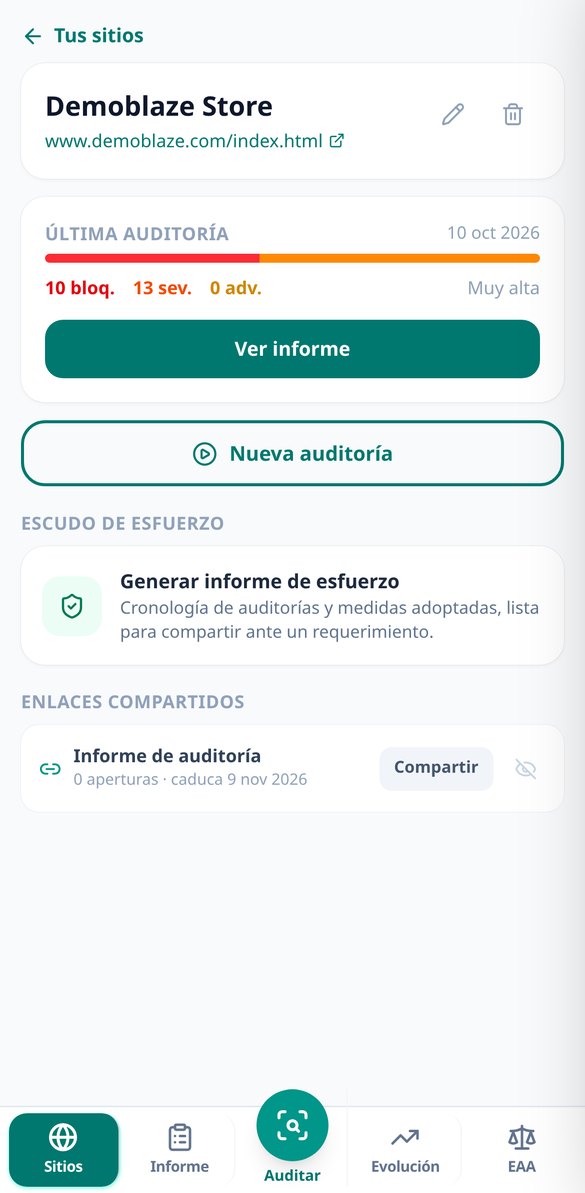
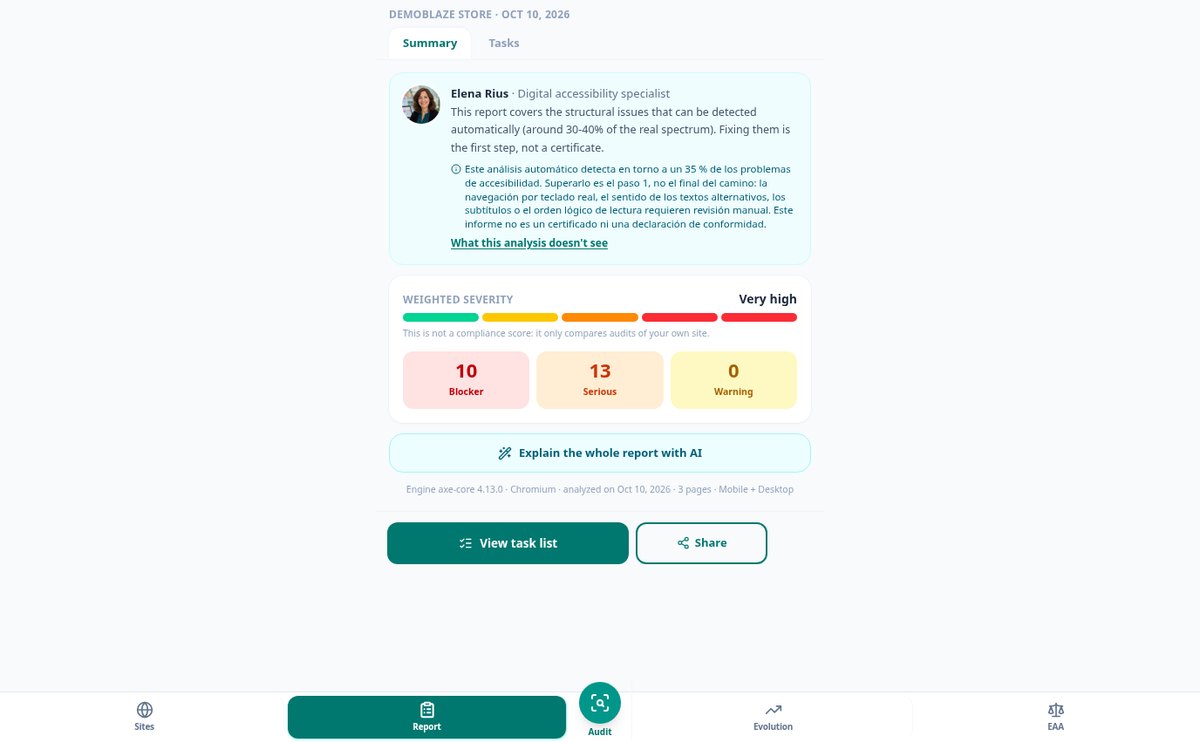
For the small business with an online store or service website that is already covered by the European Accessibility Act and doesn't know where to start: you enter your website address, choose your key pages, and receive the barriers that need fixing, ordered by what they cost you in sales and with the fix explained.
Responses are generated by artificial intelligence. This is not professional advice and does not replace a qualified professional. In an emergency, contact your local emergency services.
Do you want to renovate or decorate and don't know if it will fit, if it will match, or how much it will cost?
aiLiving starts from your real measurements: you draw the floor plan of the room and see it immediately in 3D, with furniture to scale, the flooring and paint you're unsure about, and the garden or terrace outside. Each decision automatically translates into square meters, liters of paint and euros, so you arrive at the budget knowing exactly what you're asking for.
Start for free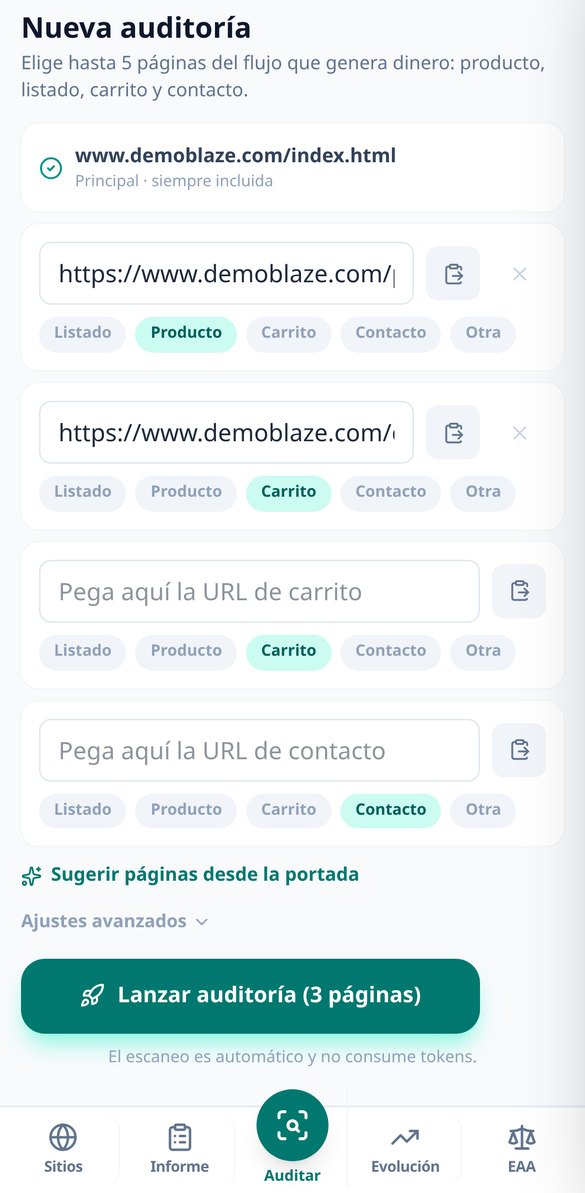
Discover every feature in detail

aiWCAG: which accessibility errors to fix first on your website
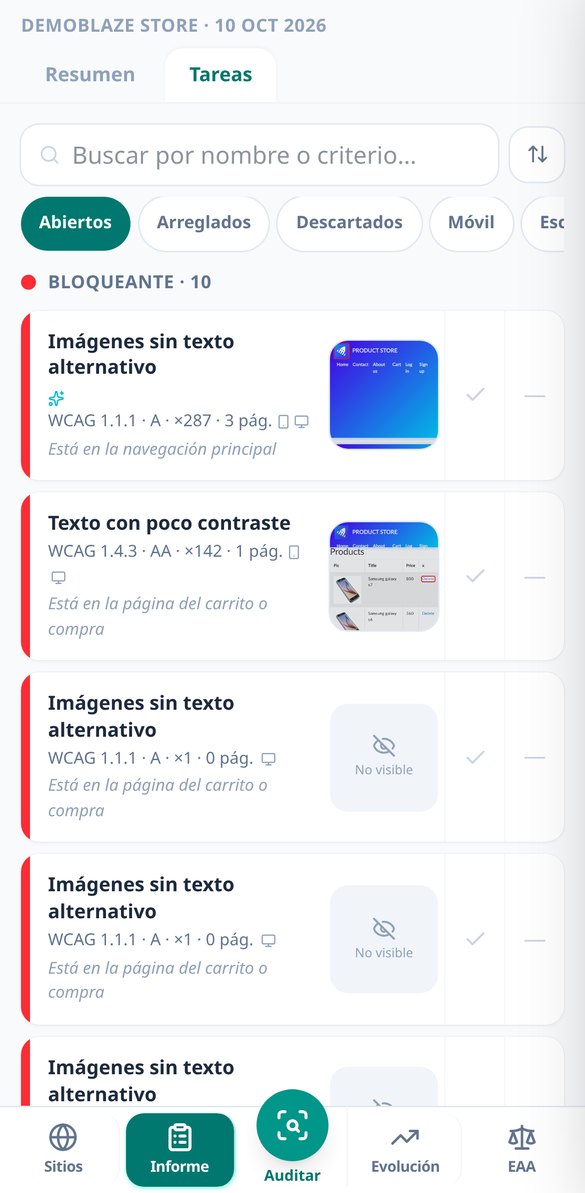
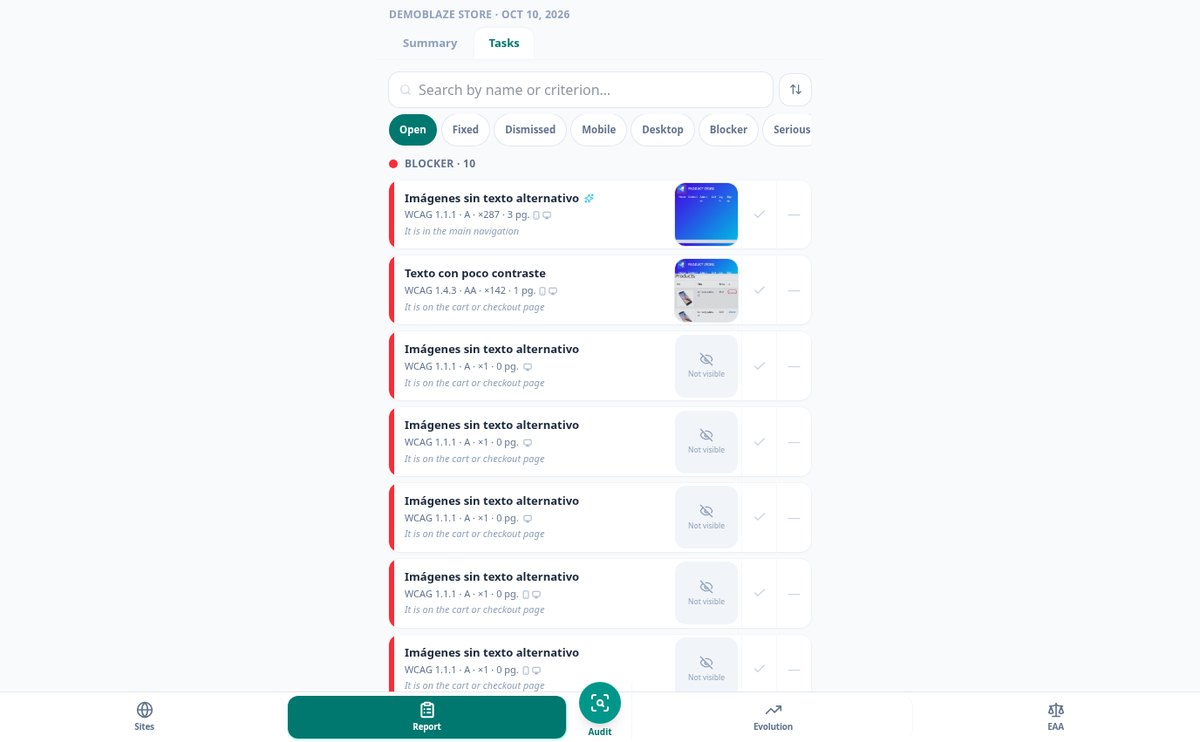
aiWCAG ranks your website's WCAG barriers by business impact: severity × reach × element location. Shopping cart issues first, with their reason why.
View feature
aiWCAG: what your accessibility error means and how to fix it
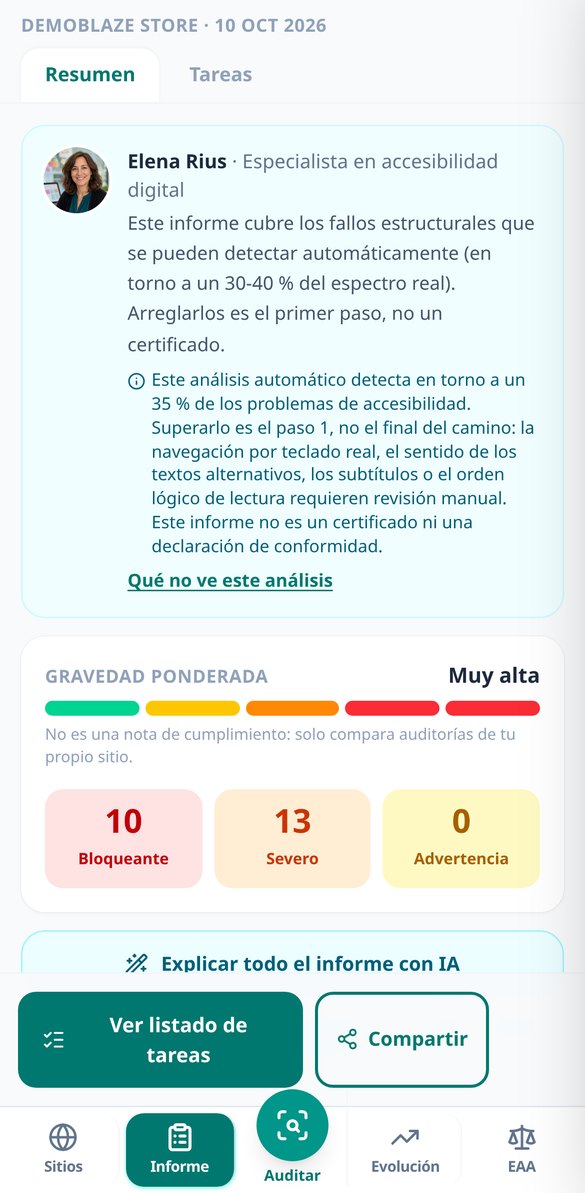
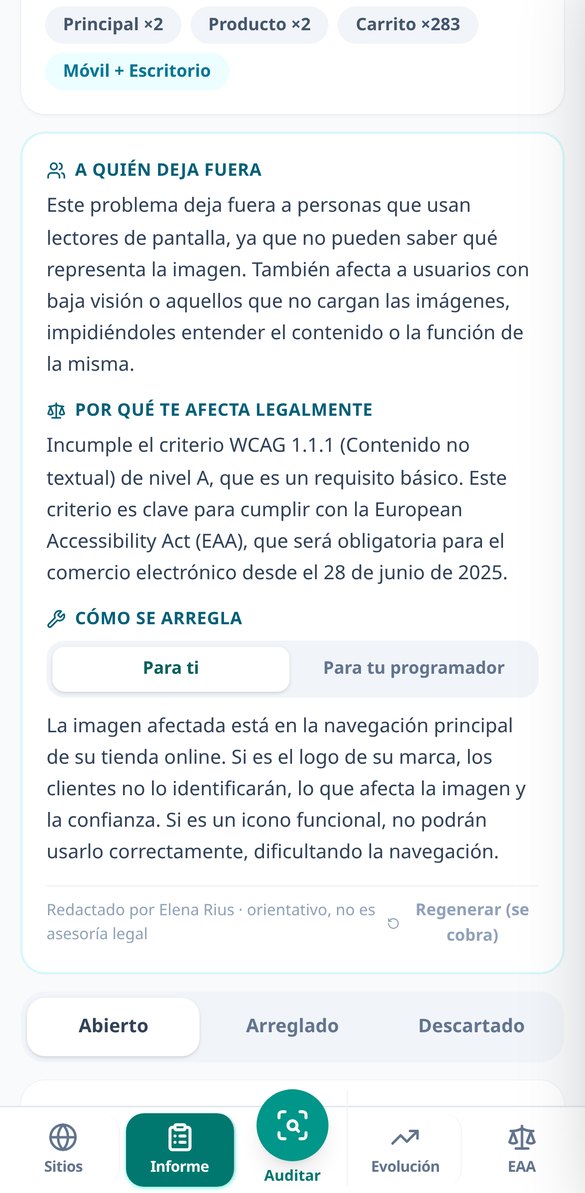
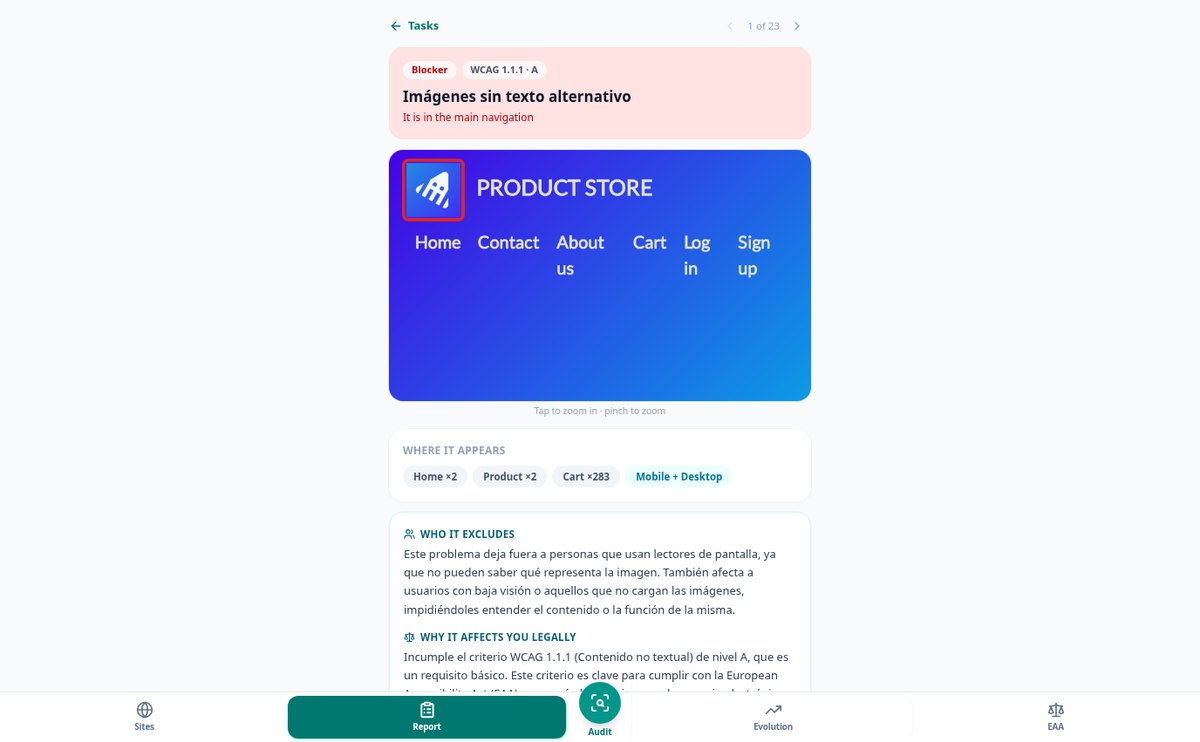
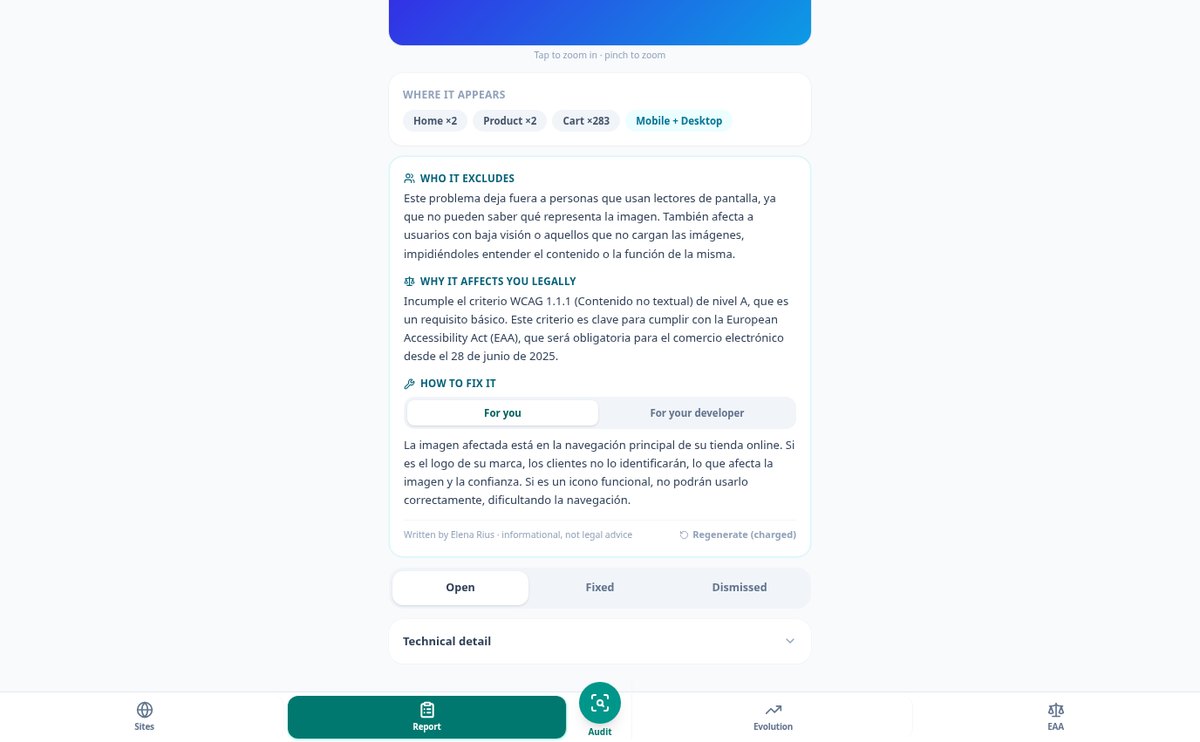
Click a button and aiWCAG's AI explains each WCAG finding: who it excludes, which criterion it violates and how to fix it, with tabs for you and your developer and before/after code.
View feature
Web Accessibility Effort Report: Demonstrate What You’ve Done
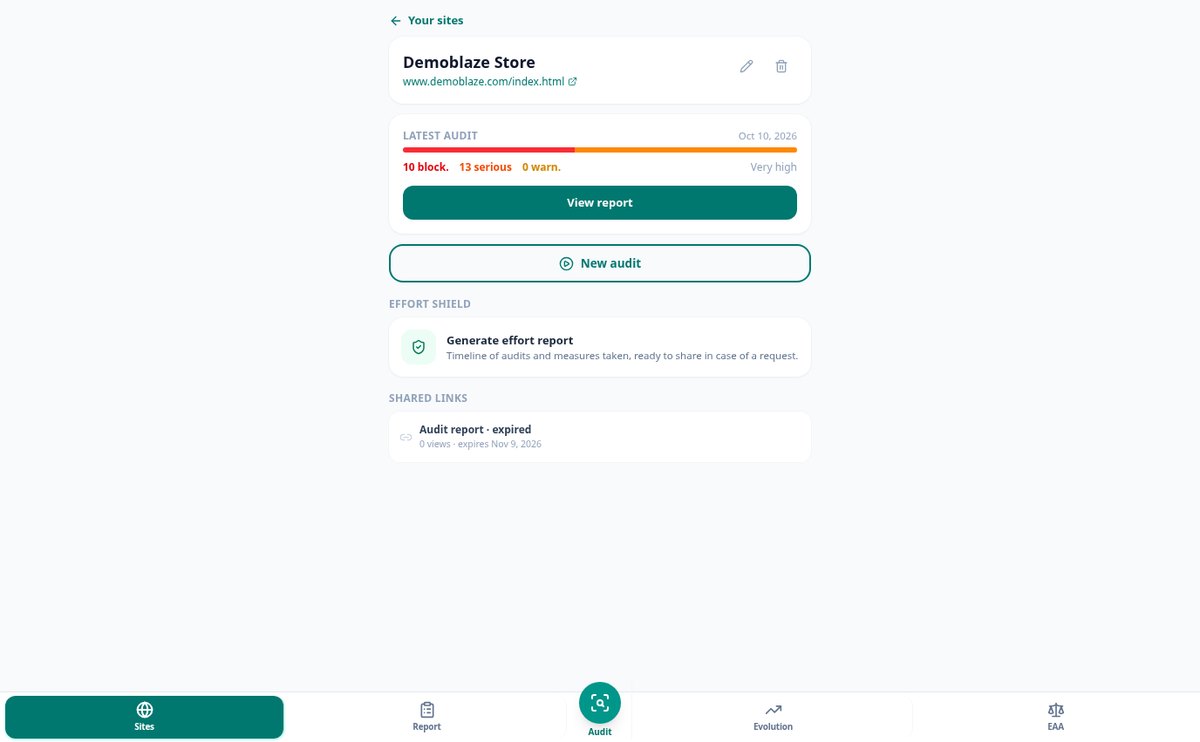
aiWCAG generates a chronological document with your audits, each fix with its date and reason, and what’s pending. Read-only link or PDF. It does not certify, and states so.
View feature
aiWCAG: Does the European Accessibility Act apply to me? What the accessibility law requires
Mandatory from June 28, 2025: the European Accessibility Act requires WCAG 2.1 AA via EN 301 549. aiWCAG tells you if it applies to you, what is required, and what no tool can detect.
View featureNot an 80-page PDF: a to-do list
Everything you need to plan a renovation or a full decoration, with real measurements and quantities.

A real browser, on mobile and desktop, with the failure highlighted
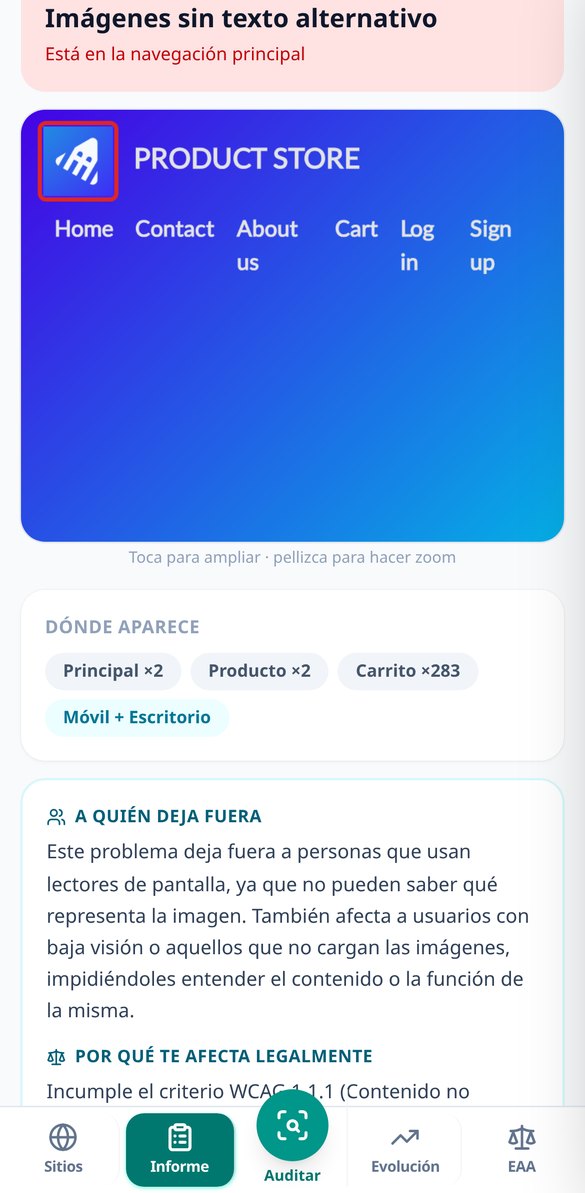
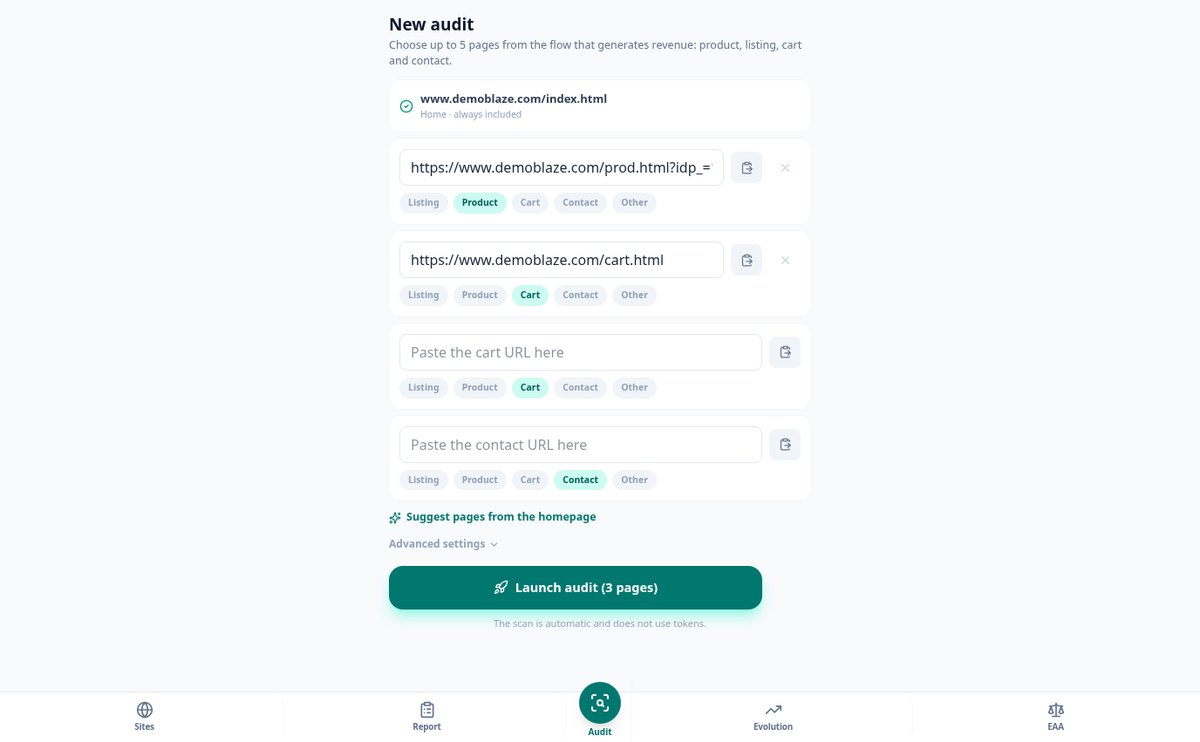
Up to 5 pages per audit — homepage, listing, product page, cart, and contact; the app suggests them by reading your homepage. Each one is opened twice, on mobile 390×844 and desktop 1366×768, because the hamburger menu or tiny tap targets only fail on mobile. It waits for the network to be idle and scrolls to trigger lazy-load before analyzing, and for every visible finding it saves a screenshot with the element outlined in red. If what the browser sees is not your website — cookie wall, anti-bot block, 403, timeout, or redirect to login — the app tells you with the screenshot of what it saw and a button to retry just that page, instead of returning an empty report that looks good.

Prioritized by business impact and explained by Elena Rius
The 40 images without alt text in the same listing are ONE task that says '×40 across 2 pages,' not 40 cards. The order is not the engine's either: priority = severity × scope × criticality of the place where the element lives, and each card shows why it has that weight ('it's in the cart form'). If you want the why, you click and Elena Rius writes the guide for the finding: who it leaves out in human language, which WCAG criterion it violates and at what level, and how to fix it, with a note for you and another for your developer with the code snippet. AI is only used when you ask for it: nothing is generated behind your back.

Living list, re-audit, and proof of what you've done
Each finding has a status: open, fixed, or dismissed with a reason (false positive, third-party element, not applicable, I accept it). When you re-audit, the app matches findings by a stable hash, automatically closes those that no longer appear, flags new ones, and preserves your dismissals, with a bar chart per audit to see progress. From that come two things worth gold the day someone asks: the effort report, with the timeline of audits and of each status change with its date and reason, and a secure read-only link, expiring and revocable, to send the entire report — screenshots, selectors, and guides — to whoever manages your website without giving them access to your account.
From your website address to the report, in three steps
Tell us your style
A 5-question visual test defines your style among 9 and customizes what we suggest.
Draw or choose a template
Draw the floor plan with your measurements or start from one of the 12 standard rooms and furnish in 3D.
Close the budget
Get the shopping list and estimated cost with your project measurements, and generate a realistic render or a walkthrough video with AI.
Frequently asked questions
Latest blog articles
Guides and news to get more out of it

EN 301 549 v4.1.1: what changes in the European accessibility standard and what you need to review on your website
EN 301 549 v4.1.1 (Sept. 2026) moves to WCAG 2.2, removes criterion 4.1.1, and adds 6 requirements. What to review in your online store and why to audit 2.1 and 2.2.

How to know if your website is accessible: the 6 mistakes that cause 96% of WCAG failures
95.9% of websites fail web accessibility and 6 mistakes cause 96% of failures (WebAIM 2026). How to detect them on your website and what the EAA requires in Spain.
Find out today what barriers your website has
Create your free account and draw the floor plan of your first room in a few minutes.